
In today’s digital world, almost every service we use relies on websites, mobile apps, or software platforms. Whether someone is ordering food online, reading news, or managing finances, their experience depends heavily on how the product looks and how it works. This is where UI/UX design becomes essential.
UI/UX design focuses on building digital products that are easy to use, visually appealing, and efficient for users. Companies invest heavily in this discipline because good design can improve customer satisfaction, increase engagement, and boost business success.
In this article, we explain what UI and UX design mean, how they differ, and why they are critical in modern product development.
Understanding UX Design (User Experience Design)
UX design refers to the overall experience a user has while interacting with a product. The main goal of UX designers is to make sure the product is useful, accessible, and enjoyable.
UX designers study how users behave and what problems they face while using digital products. They then design solutions that simplify the interaction.
Key responsibilities of UX designers include:
- User research and interviews
- Creating user journeys and personas
- Information architecture planning
- Wireframing and prototyping
- Usability testing
For example, when designing a shopping website, UX designers analyze how users search for products, add items to their cart, and complete payment. If the checkout process feels confusing or slow, users may leave the site.
Therefore, UX design focuses on solving usability problems and improving the overall journey.
Understanding UI Design (User Interface Design)
While UX focuses on the experience, UI design focuses on the visual interface of the product.
UI designers determine how elements like buttons, icons, typography, and colors appear on a screen. Their goal is to create an interface that is visually attractive, consistent, and easy to navigate.
UI designers work on:
- Layout design
- Color systems
- Typography
- Iconography
- Interactive components
- Responsive design
For example, the login button, navigation menu, and icons inside a mobile app are all part of the UI.
If UX is about how the product works, UI is about how the product looks.
UI vs UX: What Is the Difference?
Many beginners often confuse UI and UX, but they serve different purposes.
| Aspect | UI Design | UX Design |
|---|---|---|
| Focus | Visual interface | Overall user experience |
| Goal | Make the interface attractive | Make the product easy to use |
| Work | Colors, typography, layouts | Research, testing, user journeys |
| Output | Screens and design systems | Wireframes and usability improvements |
In practice, both UI and UX designers collaborate closely to create successful digital products.
Why UI/UX Design Is Important
Modern users expect digital products to be fast, simple, and intuitive. If a website is difficult to use, visitors usually leave within seconds.
Good UI/UX design helps businesses achieve several important goals.
1. Better User Satisfaction
When users can easily complete tasks, they feel satisfied and are more likely to return.
2. Higher Conversion Rates
A well-designed interface can guide users smoothly through actions like signing up, subscribing, or purchasing products.
3. Stronger Brand Image
Professional design builds trust. Users often judge the credibility of a company based on the quality of its digital interface.
4. Reduced Development Costs
Early UX research helps identify problems before development begins, saving time and money.
The Typical UI/UX Design Process
UI/UX design usually follows a structured workflow.
1. Research
Designers gather information about users, competitors, and business goals.
2. User Personas
Personas represent typical users and help designers understand their needs.
3. Wireframing
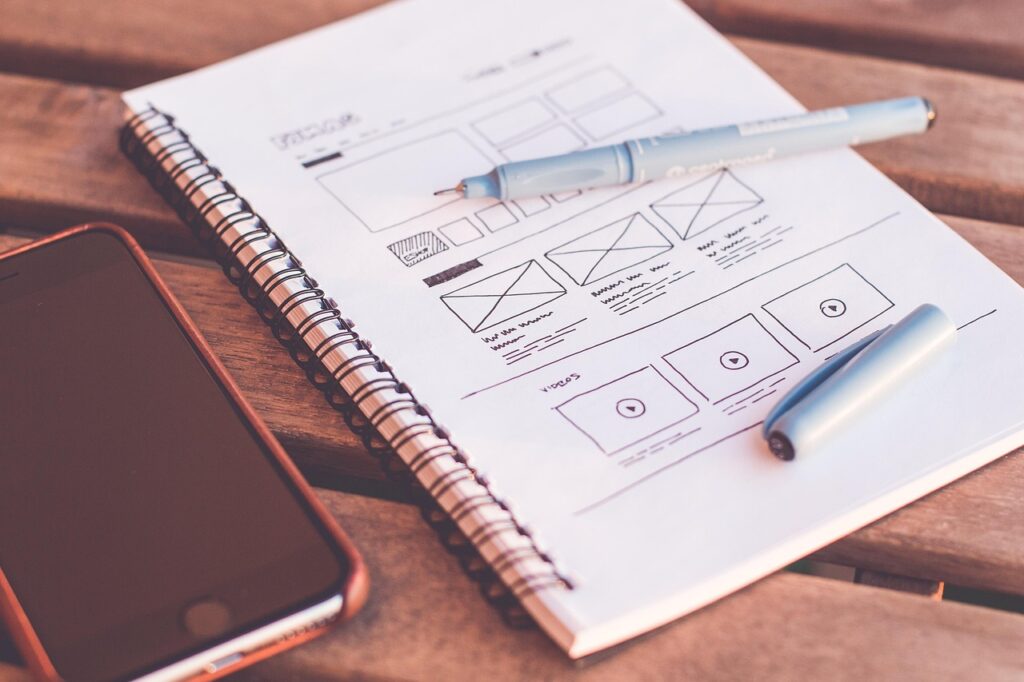
Wireframes outline the structure of pages without detailed visuals.
4. Prototyping
Interactive prototypes allow teams to test product ideas before development.
5. Visual Design
UI designers add colors, typography, and branding elements.
6. Usability Testing
Designs are tested with real users to identify issues and improve usability.
Popular Tools Used in UI/UX Design
Several modern tools help designers collaborate and create prototypes efficiently.
Some widely used tools include:
- Figma
- Adobe XD
- Sketch
- InVision
- Framer
Among these, Figma has become especially popular due to its real-time collaboration features.
How to Start Learning UI/UX Design
For beginners interested in UI/UX design, starting with the fundamentals is important.
Recommended learning steps:
- Understand design principles
- Learn UX research basics
- Practice wireframing and prototyping
- Study real product interfaces
- Build portfolio projects
Online courses, design communities, and hands-on projects can significantly accelerate learning.
Conclusion
UI/UX design plays a critical role in shaping how people interact with digital products. While UX focuses on solving user problems and improving experiences, UI ensures the interface is visually appealing and intuitive.
Together, they create digital products that users enjoy using.
As technology continues to evolve, the demand for skilled UI/UX designers will only grow. Businesses that invest in thoughtful design will be better positioned to deliver products that stand out in an increasingly competitive digital landscape.