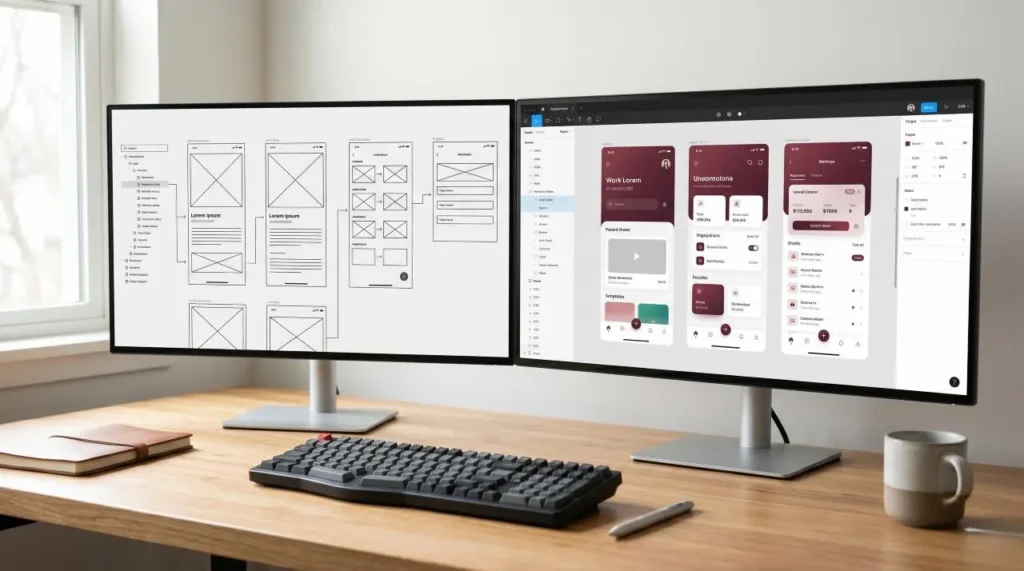

Every time you order food, read the news, or manage finances, your experience relies heavily on UI/UX design.
I see firsthand how a digital product’s success hinges entirely on its interface and seamless functionality.
Companies that invest in modern design systems outpace their competitors because good design fundamentally drives business growth.
What is UI/UX design?
UI (User Interface) design focuses on visual aesthetics like layouts, typography, and colors. UX (User Experience) design dictates how a product fundamentally works, emphasizing user psychology and seamless navigation. Together, they create intuitive, beautiful, and highly converting digital ecosystems essential for sustainable business growth.
Understanding the Core of UX Design
UX design refers to the holistic experience a user has while interacting with a product.
My primary goal is to ensure a platform is inherently useful, accessible, and deeply enjoyable.
I study how users behave and identify the exact friction points they face.
From there, I engineer solutions that simplify interactions and completely remove cognitive load.
According to foundational principles established by the Nielsen Norman Group, true user experience requires seamlessly merging engineering, marketing, and design to meet exact user needs without fuss.
Key UX Responsibilities
- User Research: Conducting interviews to understand real human pain points.
- Information Architecture: Structuring content so it is logically easy to find.
- User Journeys: Mapping out the exact path a user takes from discovery to conversion.
- Wireframing: Building the structural blueprint of the application.
- Usability Testing: Validating assumptions with real users before writing code.
Consider a modern e-commerce checkout flow.
If the process feels confusing or visually cluttered, users will simply abandon their carts.
UX design solves these usability bottlenecks, ensuring a frictionless journey to final payment.
Read More: How to Choose the Right Digital Agency for Your Startup (Without Getting Burned Again)
The Visual Impact of UI Design
While UX focuses on the structural experience, UI design focuses on the exact visual interface.
If UX is the structural framing of a house, UI is the interior design, lighting, and paint.
I determine how digital elements like buttons, icons, typography, and color palettes appear on a screen.
My objective is to build an interface that is visually arresting and perfectly consistent.
Following established industry standards, such as Google’s Material Design guidelines, ensures that these visual elements scale beautifully across different devices.
Essential UI Components
- Grid Systems: Ensuring pixel-perfect alignment across all devices.
- Color Theory: Using color strategically to guide user attention.
- Typography: Selecting legible, modern fonts that establish brand authority.
- Interactive Elements: Designing hover states, animations, and micro-interactions.
- Responsive Adaptation: Ensuring flawless aesthetics on mobile, tablet, and desktop.
Every login button, navigation menu, and icon you tap is a direct result of meticulous UI design.
UI vs UX Design: What Is the Difference?
Founders and developers often confuse UI and UX, but they serve distinctly different purposes.
Here is how I break down the fundamental differences:
- Focus: UI is concerned with visual aesthetics; UX is concerned with the holistic user journey.
- Primary Goal: UI aims to make the interface attractive. UX aims to make the product frictionless.
- Daily Workflow: UI involves colors and visual systems. UX involves research and wireframing.
- Deliverables: UI produces high-fidelity screens. UX produces journey maps and usability reports.
In my daily practice, these disciplines never exist in silos.
I ensure UI and UX collaborate intimately to launch digital products that are stunning and highly functional.
Read More: SEO Services for Small Businesses: What You Actually Get vs. What Agencies Promise
Why Elite UI/UX Design Drives Business Growth
Modern users are incredibly demanding.
They expect digital products to be lightning-fast, simple, and intuitive.
If a website is difficult to use, visitors will abandon it within seconds.
Investing in premium UI/UX design helps businesses achieve critical growth metrics.
1. Higher Conversion Rates
A thoughtfully designed interface guides users smoothly toward a desired action.
Extensive usability studies by the Baymard Institute show that optimizing checkout design alone can recover billions in lost e-commerce sales by simply removing UX friction.
2. Elevated Brand Authority
Professional, sleek design builds immediate trust.
Users inherently judge the credibility and security of a company based on visual quality.
3. Drastically Reduced Development Costs
Development time is expensive.
Thorough UX research helps identify fatal flaws before engineering teams begin coding, saving massive budget.
My Standard UI/UX Design Process
Delivering a world-class product requires a strict, repeatable workflow.
Here is the process I use to build high-converting digital experiences:
- Deep-Dive Research: I gather data about users, competitors, and core business objectives.
- Persona Development: I create archetypes representing ideal users to keep the design user-centric.
- Low-Fidelity Wireframing: I draft the skeletal structure of key screens to establish visual hierarchy.
- Interactive Prototyping: I build clickable models for stakeholders to test functionality early.
- High-Fidelity Visual Design: I apply brand identity and sleek color systems to the wireframes.
- Rigorous Usability Testing: I test final designs with real users to perfect the interaction.
Elevate Your Digital Product Today
UI/UX design plays a definitive role in shaping how the world interacts with a brand.
While UX solves complex user problems, UI ensures the solution is visually captivating.
If a platform is suffering from high bounce rates or an outdated aesthetic, it is time for a strategic overhaul.
Ready to transform your product’s user experience? Book a UI/UX design consultation with me at MaroonPixel today, and let’s engineer a platform that drives measurable growth.
Frequently Asked Questions (FAQs)
What is the main difference between UI and UX design?
UX focuses on how a product works, emphasizing logic, research, and user flows to solve problems. UI focuses on how a product looks, dealing with visual aesthetics like colors, typography, and layout design.
Can someone be both a UI and UX designer?
Yes. Many professionals operate as “Product Designers,” handling both structural user research and final visual execution. I oversee both aspects to ensure a highly cohesive final product.
Why is UI/UX design critical for SaaS and E-commerce?
In SaaS and e-commerce, user retention and conversion rates define profitability. Good UI/UX design removes friction from onboarding and checkout processes, resulting in more completed purchases.
What software is best for UI/UX design?
Currently, Figma is the industry standard. Its cloud-based infrastructure allows for seamless real-time collaboration between designers, stakeholders, and developers.